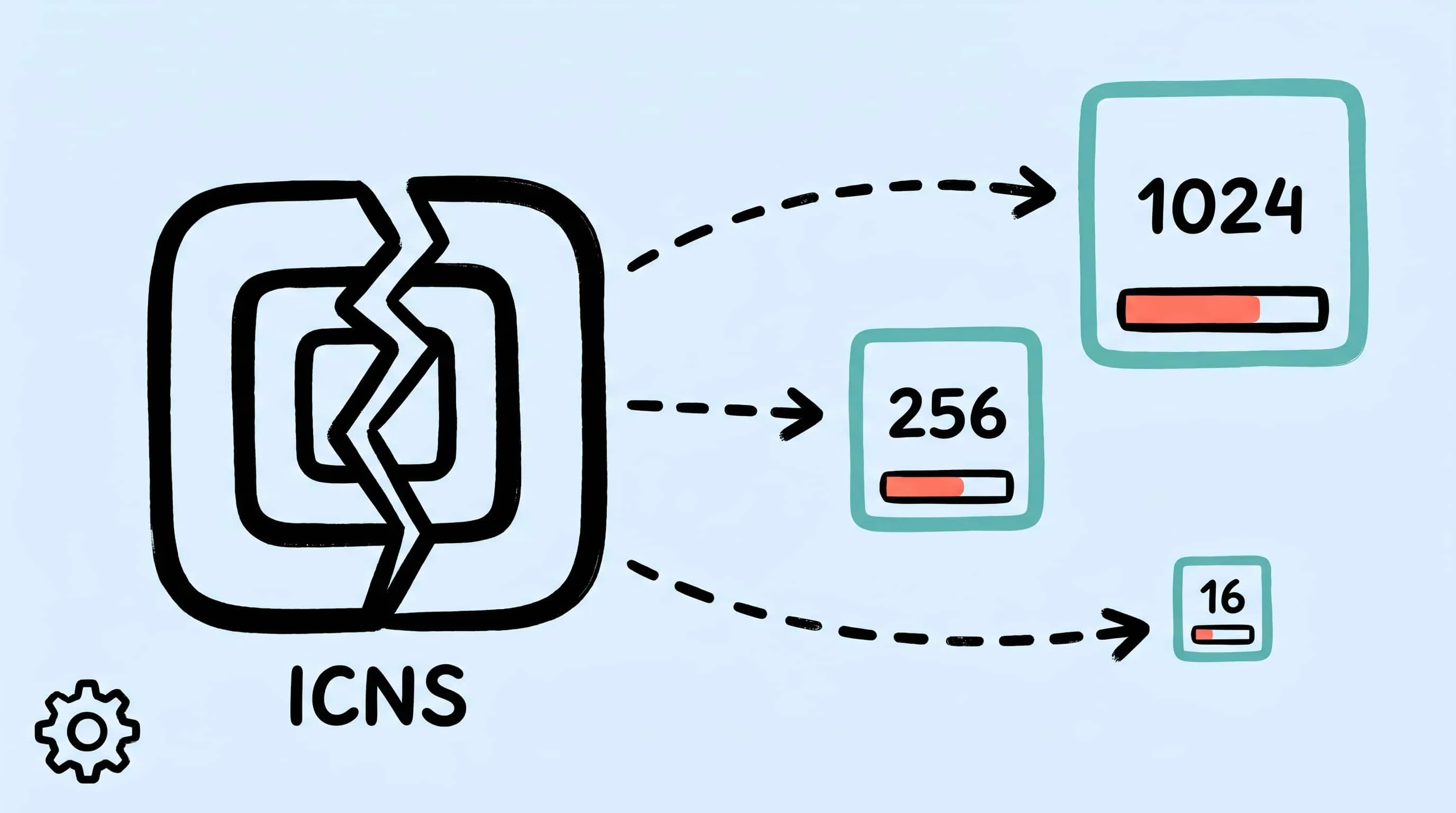
ICNS File Compression on Mac: Inside the Format and How to Optimize It
Compress ICNS files on Mac by optimizing each internal PNG slice. Learn the ICNS container format, why iconutil alone isn't enough, and how Zipic shrinks app icons.
Every macOS app ships an .icns file inside its bundle. It is the file Finder reads when it draws the app icon in the Dock, in Spotlight, and in every file-open dialog on the system. Most developers never touch it after Xcode generates it — and that is the problem.
A typical third-party .icns weighs 500 KB to over 1 MB because iconutil packs raw, unoptimized PNGs straight into the container. Apple’s own system apps stay under 65 KB by using JPEG 2000 internally, but third-party tooling defaults to PNG and applies zero compression. The 1024×1024 Retina slice alone can account for 60–85% of the total file. That bloat ripples into your .app bundle, your DMG, and — if you use Sparkle — every delta update patch your users download.
This guide takes the ICNS format apart, explains why iconutil and Image2Icon leave size on the table, and walks through how Zipic compresses ICNS at the individual PNG slice level using its in-house pngoptim Rust engine. This is the second article in the pngoptim engine series — the first covered APNG compression, and the pngoptim deep dive covers the engine internals.
What an ICNS File Actually Contains
ICNS is not an image — it is a container. Think of it as a flat archive of tagged chunks, each holding one icon representation at a specific pixel size. The file begins with an 8-byte header: the magic bytes icns followed by the total file length as a big-endian uint32. After that, every element carries a 4-byte OSType code, a 4-byte length, and the raw image data.
A modern .icns built by iconutil includes up to 10 PNG slices:
| Slot | Pixel dimensions | OSType | Role |
|---|---|---|---|
| 16×16 | 16×16 | icp4 |
Finder list view, menu bar |
| 16×16@2x | 32×32 | ic11 |
Retina list view |
| 32×32 | 32×32 | icp5 |
Finder column view |
| 32×32@2x | 64×64 | ic12 |
Retina column view |
| 128×128 | 128×128 | ic07 |
Finder icon view |
| 128×128@2x | 256×256 | ic13 |
Retina icon view |
| 256×256 | 256×256 | ic08 |
Large icon view |
| 256×256@2x | 512×512 | ic14 |
Retina large view |
| 512×512 | 512×512 | ic09 |
Full-size preview |
| 512×512@2x | 1024×1024 | ic10 |
Retina full-size / App Store |
Notice ic10: it stores 1024×1024 pixels but represents 512×512 points at @2x density. This Retina naming convention is why you see icon_512x512@2x.png in an .iconset folder even though the file is actually a 1024-pixel square.
Older ICNS files from the pre-Retina era also carry legacy chunks — 1-bit masks (ICN#, ics#), 4/8-bit indexed color (icl4, ics8), and 24-bit RGB with PackBits RLE compression (il32 + l8mk). Modern macOS ignores these; they exist for backward compatibility with Mac OS 9 and early OS X. If your source .icns still carries them, Zipic strips the legacy bloat during the repack step.
The format has no official standalone specification from Apple. The most complete public reference is the Wikipedia article on Apple Icon Image format; Apple documents the .iconset workflow in its High Resolution Guidelines and via the iconutil man page.
Where ICNS Files Live and Why Their Size Matters
ICNS is everywhere on macOS:
- App bundles —
MyApp.app/Contents/Resources/AppIcon.icns, referenced by theCFBundleIconFilekey inInfo.plist. This is the primary use case. - Disk images — A custom volume icon is stored at the DMG root as
.VolumeIcon.icns. If your DMG icon is a 900 KB ICNS while the app itself is 15 MB, you’re adding 6% overhead just for the installer aesthetic. - Document type icons — Apps register ICNS files for their custom document types via
CFBundleDocumentTypes. A rich document icon set can add several hundred KB per type. - System icons — macOS ships hundreds of ICNS files in
/System/Library/CoreServices/CoreTypes.bundle/for folder types, drive types, and file associations.
File size matters in three concrete ways:
- Bundle size. App Store reviewers and users both notice download size. A 1 MB ICNS inside a 20 MB app is 5% of the payload for a single decorative file.
- Sparkle delta updates. Sparkle’s delta update system uses
bsdiffto generate binary diffs file-by-file. PNG data is structurally noisy — small pixel changes produce large diffs. A bloated ICNS that changed between versions can dominate the delta patch size. Sparkle’s own docs warn: “Do not make unnecessary modifications to files.” - DMG download time. Custom volume icons in DMGs affect every user who downloads your installer. A 60 KB ICNS versus a 900 KB ICNS saves 840 KB per download — at 100,000 downloads, that is over 80 GB of bandwidth.
Why iconutil Alone Isn’t Enough
Apple’s iconutil does two things: it converts an .iconset folder into an .icns file (iconutil -c icns) and unpacks an .icns back into an .iconset (iconutil -c iconset). That is the full extent of its job.
What iconutil does not do:
- It does not optimize PNGs. It takes whatever PNGs you feed it and wraps them in ICNS chunk headers. If your source PNGs are unoptimized exports from Figma, Sketch, or a screenshot,
iconutilpackages them byte-for-byte. - It does not resize. Each PNG must already be the exact pixel dimensions listed in the table above.
- It does not strip metadata. EXIF, ICC profiles, and text chunks from your source PNGs ride through into the ICNS.
- It does not generate icons from a single source. You must provide all 10 sizes yourself.
This is why iconutil-generated ICNS files from third-party apps are so much larger than Apple’s system icons: Apple uses JPEG 2000 encoding internally for many system icons, while iconutil always writes PNG.
Image2Icon (img2icnsapp.com) fills a different gap — it generates all 10 size variants from a single source image, handles templates, and exports to ICNS, iOS, favicon, and ICO formats. But its concern is authoring, not compression. It does not run lossy quantization on the PNG slices it produces.
The gap is clear: nobody in this pipeline optimizes the PNGs before they get packed into ICNS. That is where Zipic comes in.
How Zipic Compresses ICNS Files
Zipic treats ICNS as a three-phase pipeline:
- Unpack. Zipic calls
iconutil -c iconsetto extract every PNG slice from the source.icnsinto a temporary.iconsetfolder. - Compress each slice. Every extracted PNG runs through Zipic’s in-house pngoptim engine — the same Rust-based quantizer that powers APNG compression in Zipic Pro. pngoptim applies lossy palette quantization (median-cut with Floyd–Steinberg dithering), strips metadata, and optimizes the deflate stream. On average it runs 1.69× faster than pngquant and produces 2–3% smaller files at equivalent quality.
- Repack. Zipic calls
iconutil -c icnson the optimized.iconsetto reassemble the ICNS container.
The result: every slice is individually optimized, the container structure is valid, and macOS renders the icon exactly as before — just from a smaller file.
Setting Up a Preset for ICNS
ICNS compression is a Zipic Pro feature. Open Compression Settings at the bottom-left of the main window:
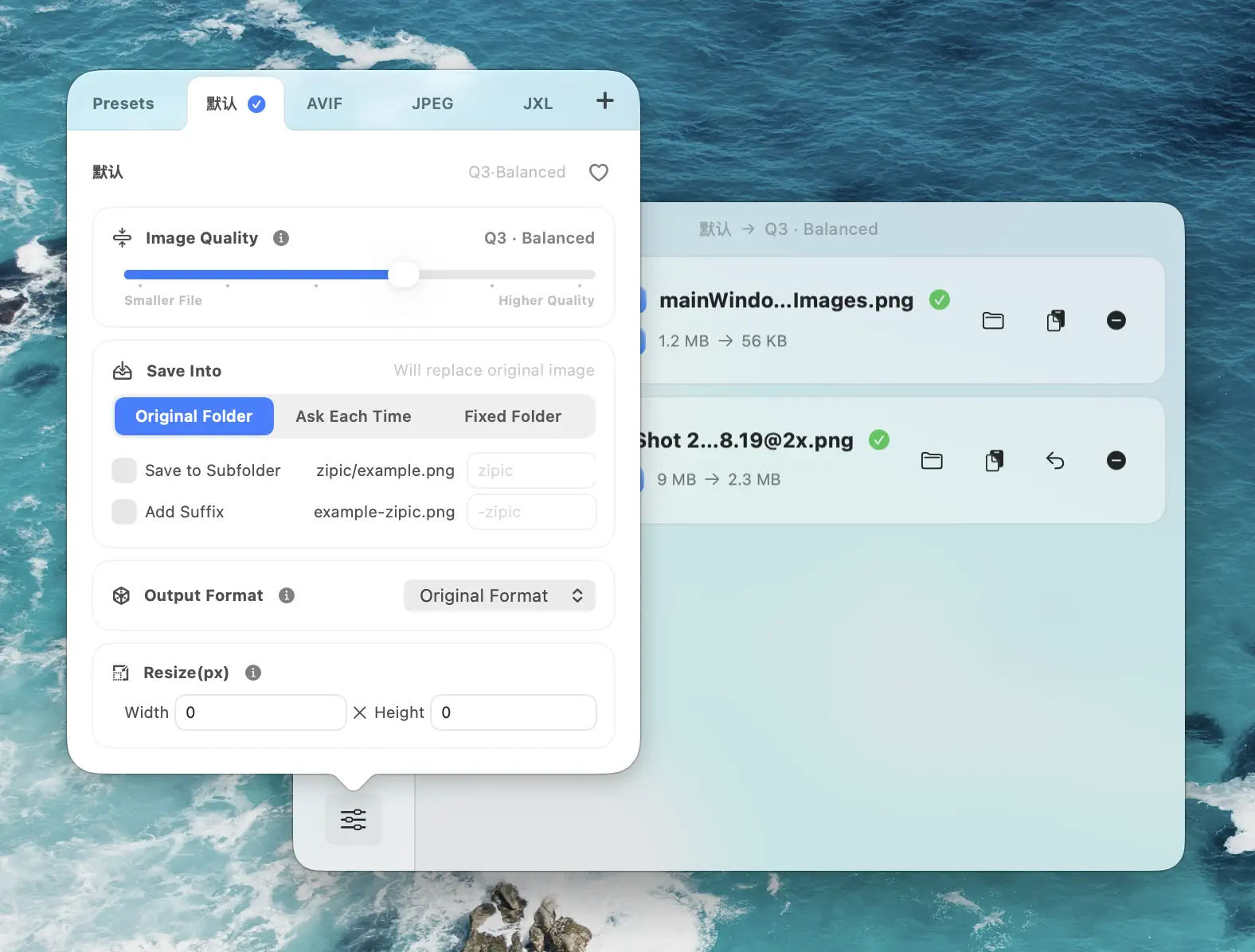
| Setting | Recommended value | Why |
|---|---|---|
| Image Quality | 2–3 | Icon art is flat-color with hard edges; Q2–Q3 preserves detail while cutting 40–80% of PNG weight |
| Save Format | Original | Keep PNG inside the ICNS container — there is no “convert ICNS to WebP” concept |
| Resize | Off | Never change icon dimensions; the .iconset contract requires exact pixel sizes |
| Save Location | Overwrite original or output to a sibling folder | Overwrite for build automation; sibling folder for manual A/B comparison |
Drag your .icns file (or the entire Contents/Resources/ folder from an app bundle) into the main window. Zipic detects the ICNS format, unpacks it, compresses each PNG slice through pngoptim, and repacks the result. Click the thumbnail to open the comparison preview and verify the icon still looks sharp at every size.
Real-World Example: 1 MB ICNS → Under 200 KB
Electron apps are the worst offenders. The Claude desktop app ships electron.icns at 1,084 KB with 6 unoptimized PNG slices. The largest — icon_512x512@2x.png at 1024×1024 pixels — weighs 735 KB alone.
After Zipic processes it:
| Slice | Before | After | Reduction |
|---|---|---|---|
| 512×512@2x (1024 px) | 735 KB | ~102 KB | 86% |
| 512×512 | 246 KB | ~34 KB | 86% |
| 256×256 | 77 KB | ~12 KB | 84% |
| 128×128 | 22 KB | ~4 KB | 80% |
| 32×32 | 2.2 KB | ~0.8 KB | 62% |
| 16×16 | 0.8 KB | ~0.6 KB | 32% |
The PNG slices collectively drop from 1,083 KB to around 155 KB — an 85% reduction on the raw image data. The repacked ICNS ends up at roughly 150–200 KB depending on how many legacy chunks iconutil regenerates during the round-trip. Even native macOS apps with already-reasonable icons (50–100 KB range) typically see 20–40% savings because designers export PNGs from tools like Figma without running a quantizer.
Integrating ICNS Compression Into Your Build
Xcode Build Phase
Add a Run Script build phase that compresses your AppIcon after the Copy Resources step:
ICNS_PATH="${BUILT_PRODUCTS_DIR}/${CONTENTS_FOLDER_PATH}/Resources/AppIcon.icns"
if [ -f "$ICNS_PATH" ]; then
  open "zipic://compress?url=${ICNS_PATH}&format=original&level=3&location=original"
fi
This calls Zipic’s URL Scheme to compress in place. The build continues while Zipic runs asynchronously.
Folder Monitoring for CI Assets
If your CI exports icons to a shared folder, point Zipic’s folder monitoring at that directory. Every new .icns file triggers automatic compression with your saved preset — no manual intervention.
Sparkle Delta Optimization
If you ship updates via Sparkle, compressing your ICNS before signing the update archive means:
- Smaller base archive (
.zipor.dmg) - Smaller delta patches — because the optimized PNGs have less structural noise for
bsdiffto diff against - Consistent ICNS bytes between releases if the icon hasn’t changed (unoptimized PNGs can vary between exports even for the same source art)
ICNS vs Other Icon Formats
| Format | Platform | Sizes | Compression | Retina | Tool |
|---|---|---|---|---|---|
| ICNS | macOS | 16–1024 px, @2x | PNG or JPEG 2000 per slice | Yes | iconutil, Zipic |
| ICO | Windows | 16–256 px | BMP or PNG per slot | Limited | Various editors |
| Asset Catalog (.car) | iOS / macOS (modern) | Per-slot PNG/PDF | actool repackaging | Yes | Xcode |
| Adaptive Icon | Android | 108×108 dp | Separate foreground/background layers | Via density buckets | Android Studio |
| Favicon | Web | 16–512 px | ICO, PNG, or SVG | Via manifest | Any image tool |
ICNS remains the only format where you can open the container, optimize each slice independently, and repack — a property Zipic exploits directly.
FAQ
Does Zipic change the ICNS container structure?
No. Zipic uses Apple’s own iconutil for both unpacking and repacking, so the output .icns is structurally identical to what Xcode would produce — just with smaller PNGs inside.
Will the compressed icon look different in the Dock or Finder? At compression Q2–Q3, the difference is invisible at icon display sizes. The quantization artifacts that lossy PNG compression introduces are sub-pixel at 128×128 and below. Open the comparison preview in Zipic to verify before committing.
Can I compress .icns files from apps I didn’t build?
Yes. Drag any .icns file into Zipic. This is useful for trimming bloated icons in DMG volume images or custom folder icons. Note that modifying an app’s icon in a signed bundle will invalidate the code signature — only compress icons in bundles you control and re-sign.
Why is ICNS compression a Pro feature? ICNS compression depends on the pngoptim engine, which is one of the format-specific engines funded by the Pro tier — alongside zipic-jpeg, gifoptim, svgo-swift, and pdfoptim. The free tier covers the broad image-compression surface.
Does Zipic handle legacy ICNS chunks (RLE, JPEG 2000)? Zipic targets the PNG slices inside modern ICNS files. Legacy chunks (PackBits RLE, 1-bit masks, JPEG 2000 representations) are preserved during the unpack/repack cycle but are not individually optimized — modern macOS does not use them for rendering.
How does this compare to running pngquant manually on an iconset?
Same idea, fewer steps. You could run iconutil -c iconset, then pngquant *.png, then iconutil -c icns yourself. Zipic automates that pipeline in a single drag-and-drop with pngoptim (which is faster and slightly smaller than pngquant). It also handles the temporary directory cleanup and preserves the correct .iconset naming contract.
Sources
- Apple Icon Image format — Wikipedia (de facto format specification)
- iconutil(1) man page
- High Resolution Guidelines — Apple Developer
- Delta Updates — Sparkle
- pngoptim — Zipic’s in-house Rust PNG engine
- Zipic image compression formats
Related Articles
- APNG and Animated WebP on Mac: Compress Modern Animated Formats
- pngoptim Deep Dive: Rust PNG Compression Engine for Mac
- How to Compress PNG Files on Mac With Visually Lossless Results
- Compress App Icons for iOS & Android: Mobile Dev Workflows
- Image Compression for Web Developers: Automate Your Workflow
- Batch Compress Images on Mac: Complete Tutorial
Try Zipic
Your app icon is the first thing users see and the last thing most developers optimize. Download Zipic, set a preset to Q3, and drag your .icns file in. The pngoptim engine handles the slice-level compression; iconutil handles the repack. ICNS compression is a Pro feature — every download includes a full 7-day Pro trial. See pricing.
Related Reading
How to Compress Images on Mac Fast (Without Ruining Quality)
Compress images on Mac with drag-and-drop, Finder, presets, and batch automation — protect originals, check quality at 100%, then scale the workflow.
Why Zipic Kept libwebp for WebP but Built Its Own AVIF Encoder
Zipic keeps Google's libwebp for WebP but built avifoptim after libavif failed to preserve iPhone HDR photos. The engineering trade-off explained.
Best gifski Alternative on Mac: When One Video at a Time Isn't Enough
gifski is a great video-to-GIF encoder, but it cannot batch, monitor folders, or compress existing GIFs. Here is the Mac gifski alternative for those jobs.
How to Compress and Optimize SVG Files on Mac with Zipic
Need an SVG optimizer on Mac? Compress and optimize SVG files with Zipic — strip editor bloat, pick from six quality steps (Q1–Q6), and batch entire icon sets.