Image Compression for Social Media: Platform-Specific Guide
Compress images for social media the right way: 2026 size specs for Instagram, TikTok, X, WeChat, Xiaohongshu, plus a Zipic preset workflow on Mac.
Posting the same photo to Instagram, X, LinkedIn, Pinterest, TikTok, WeChat Moments and Xiaohongshu in one afternoon is a special kind of pain. Each platform wants a different aspect ratio, a different pixel width, and a different file-size cap — and every one of them runs your upload through a server-side recompressor that strips quality you can never get back. Knowing how to compress images for social media properly is what separates a sharp upload from the soft, pixelated result everyone has seen.
This 2026 playbook covers the official size specs for the platforms that matter to both Western and Chinese audiences, explains why server-side recompression makes “smaller is better” the wrong instinct, and shows how to set up reusable per-platform presets in Zipic on a Mac so a single drag exports the right files for every channel.
Why Social Media Compression Is a Different Problem
Social platforms behave differently from blogs and email. Three quirks make this its own discipline.
Server-side recompression is non-negotiable. Instagram, Facebook, X and WeChat all transcode every uploaded image. If you upload a heavily compressed JPEG, the server compresses it again, and double-compression artifacts compound especially on faces, text, and gradients. The counter-intuitive lesson: keep your local quality slightly higher than you would for the open web, so the platform’s mandatory second pass still leaves you with a clean result. (For the underlying mechanics, see Lossy vs Lossless Compression.)
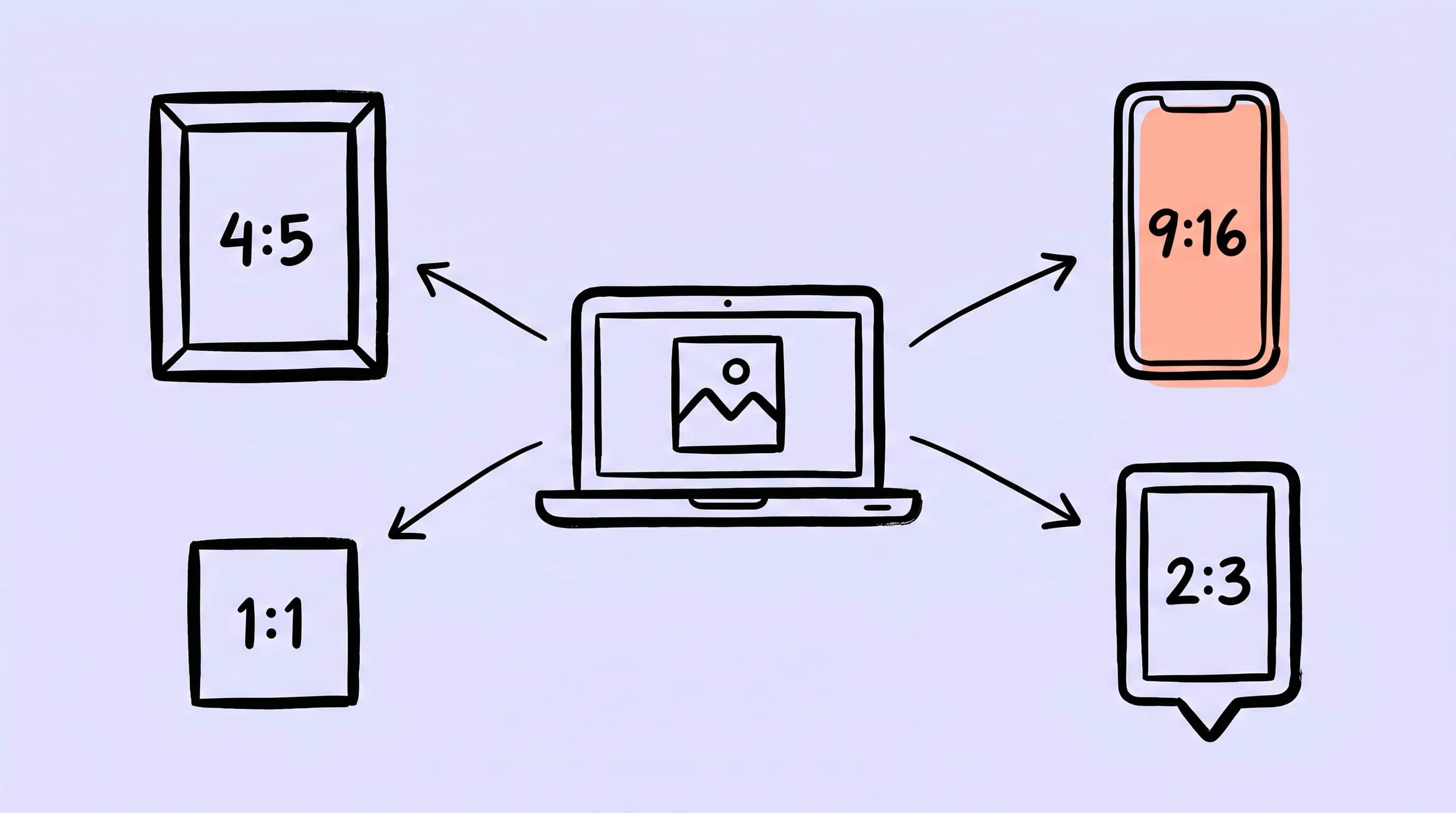
One shoot, four aspect ratios. A single product photo will end up as a 4:5 Instagram feed post, a 9:16 Reel, a 1.91:1 link card on X, and a 2:3 Pinterest pin. There is no single master that fits every slot — you have to export each ratio separately, with the right safe zones.
Dimensions and file size are different limits. Instagram caps your width at 1080 px regardless of file size; WeChat Moments caps your file at 2 MB regardless of dimensions. Hitting one limit doesn’t help with the other.
Universal Rules Before You Touch a Platform
Before drilling into specs, four rules apply across every platform in this guide:
- Match the platform’s exact pixel width. If Instagram wants 1080 px, give it exactly 1080. Letting the server resize introduces a lossy bicubic step on top of its lossy re-encode.
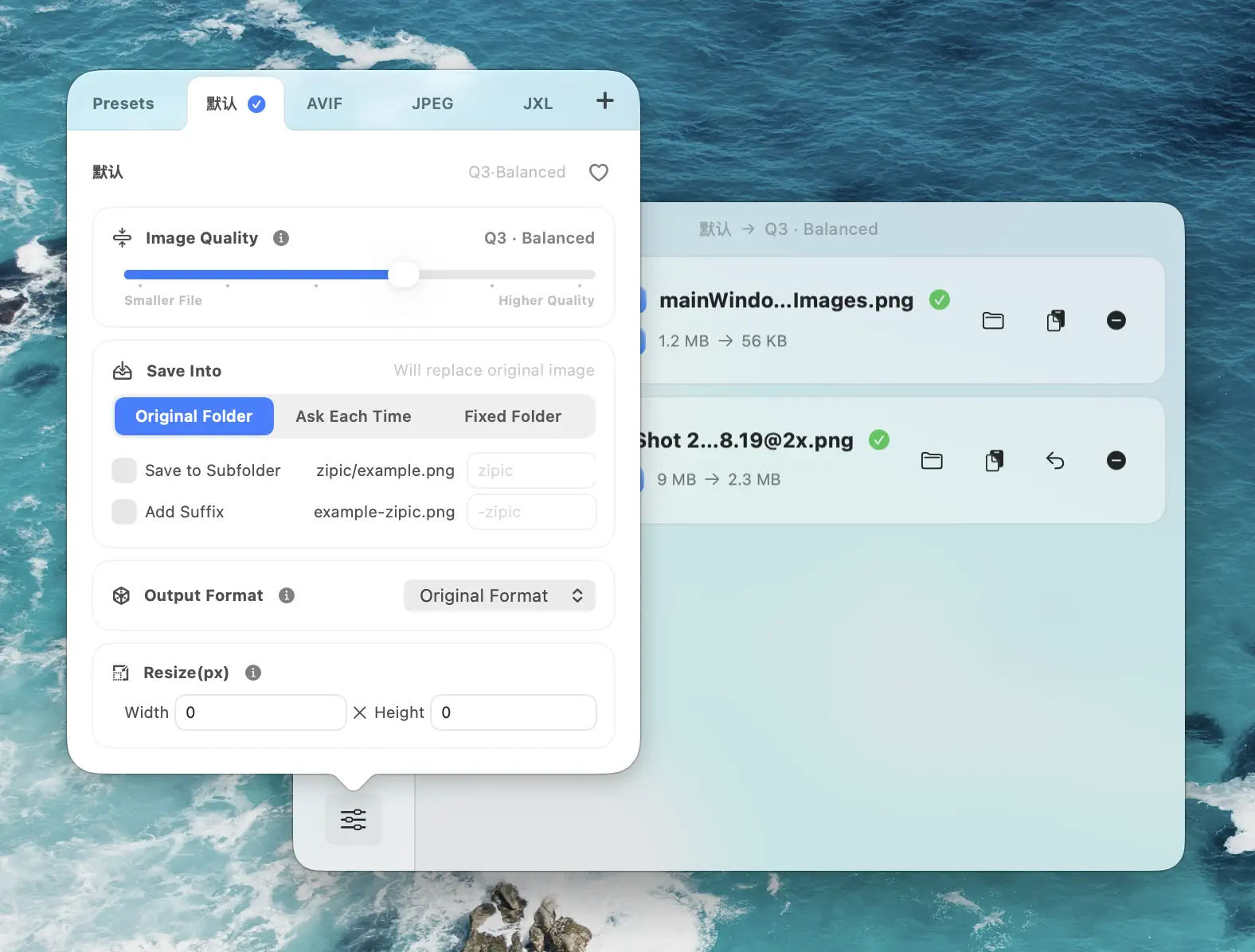
- Keep quality at roughly JPEG q80 or higher. That’s higher than you’d use for a website. The platform’s mandatory recompression pass costs you 5–10 quality points; start above the floor. In Zipic, that means Image Quality 2 (≈Q84) for most social uploads, dropping to Q3 (≈Q74) only when the platform’s own compressor is going to dominate anyway.
- JPEG is the safest universal format. WebP is accepted on X and Reddit but not preferentially served on Instagram or Facebook. Reserve PNG for graphics with text or transparency.
- Strip metadata, fix orientation, force sRGB. Saved EXIF orientation flags trip up some Android clients; non-sRGB profiles get silently flattened by every social CDN.
A quality-versus-file-size cheat sheet for the most common targets (Zipic uses a 1–6 compression-level slider; the Q values below are the resulting JPEG quality):
| Target use | Zipic Level | ≈JPEG Q | Long edge | Approx file size |
|---|---|---|---|---|
| IG / FB feed photo | 2 | 84 | 1350 px | 280–450 KB |
| IG Story / Reel cover | 2 | 84 | 1920 px | 350–600 KB |
| X post image | 2 | 84 | 1200 px | 180–300 KB |
| WeChat Moments | 2 | 84 | 1080 px | 200–600 KB (≤2 MB total) |
| Xiaohongshu note | 2 | 84 | 1440 px | 350–550 KB |
| Weibo long image | 3 | 74 | 980 px | 250–500 KB |
| TikTok Photo Mode | 4 | 64 | 1920 px | 80–150 KB (target ≤100 KB) |
Instagram — Feed, Reels, and Stories
Instagram is still the highest-stakes platform for static images. The 2026 spec set:
Feed posts
Three ratios are supported in feed: 4:5 portrait at 1080×1350 (recommended for engagement), 1:1 square at 1080×1080, and 1.91:1 landscape at 1080×566. The bigger 2025 change is the profile grid itself — Instagram switched the grid thumbnail aspect ratio from 1:1 to 3:4 (1080×1440) in 2025, and the rollout is finalized in 2026. Even if you upload a square photo, the grid now crops it to a 3:4 thumbnail.
Portrait 4:5 takes the most vertical screen space in feed scroll, so it consistently outperforms square and landscape on engagement. The practical takeaway: shoot and export at 1080×1440 (3:4) when the same image needs to look right both in feed and on your grid; use 1080×1350 (4:5) when feed engagement is the only goal.
Stories and Reels
Both use 9:16 at 1080×1920. The story safe area is 1080×1610 — about 250 px clear at the top and 340 px clear at the bottom for the profile chip and reply bar. Anything important outside that safe area can be hidden by UI overlays.
Reel covers are special: Meta’s recommended Reel cover size is 420×654 (about 1:1.55). Cover thumbnails are pulled from the video by default, but uploading a custom 420×654 image gives you full control over the in-grid preview.
Profile photo
320×320, 1:1, displayed as a circle. Most users upload at 1:1 anyway; the only real failure mode is uploading a rectangular logo and letting Instagram crop it badly.
X (Twitter), Facebook, LinkedIn — The 1.91:1 Cluster
These three platforms cluster around the 1.91:1 landscape format because they all started life as link-card-driven feeds. Specs differ in the details.
X (formerly Twitter)
- In-stream post image: 1200×675 (16:9), under 5 MB
- Header banner: 1500×500 (3:1), under 2 MB
- Profile picture: 400×400, under 2 MB
- Card images (link previews): 300×157 minimum, 4096×4096 maximum, under 5 MB
- Animated GIF: under 15 MB
- Accepted formats: JPEG, PNG, GIF, WebP
X is one of the few major networks that serves WebP back to clients, so uploading WebP is fine if you’ve already got it. JPEG is still simpler and re-encodes more predictably.
- Cover photo: 851×315 upload (display crops to 820×312 on desktop and 640×360 on mobile — keep critical content centered)
- Profile picture: 320×320 minimum, displayed as 170×170 desktop / 128×128 mobile
- Feed portrait: 1080×1350 (4:5)
- Feed square: 1080×1080
- Feed landscape link share: 1200×630 (1.91:1)
- Stories: 1080×1920 (9:16)
Facebook’s 4:5 portrait beats square in feed engagement for the same reason it does on Instagram — vertical real estate.
- Company logo: 400×400, PNG or JPEG, under 3 MB
- Page cover: 4200×700, under 3 MB (older 1128×191 display crop is still cited; the safe move is to design for the visible thin slice and upload at the full 4200×700)
- Post link image: 1200×627 (1.91:1)
- Post square: 1080×1080
- Post portrait: 1080×1350 (4:5)
LinkedIn recommends keeping image post files under 5 MB for upload speed. Like Instagram, the 4:5 portrait format gets meaningfully more feed time on mobile.
Pinterest and TikTok Photo Mode
Two networks where the rules are different enough that they don’t fit the 1.91:1 cluster above.
- Standard pin: 1000×1500 (2:3) — the official recommendation
- Idea pin: 1080×1920 (9:16)
- Square pin: 1000×1000
- Profile photo: 165×165 minimum, 1:1
- File: PNG or JPEG, under 20 MB
The 2:3 ratio is officially endorsed because it fills the most feed space without truncation. Pinterest’s own analytics teams have published that 2:3 pins consistently earn more saves than square or landscape, and the platform deprecated long pins (over 2:3) in 2020 because they got truncated in feed previews. If your source is a horizontal photo from a DSLR, resize it on Mac to 1000×1500 with a content-aware crop or a contextual border before pinning.
TikTok Photo Mode
TikTok’s Photo Mode (image carousel) is a 2024-onwards feature that’s now a real publishing surface. The spec:
- Recommended size: 1080×1920 (9:16)
- Supported ratios: 9:16, 1:1, 4:5
- Carousel length: 4 to 35 images
- Total carousel size limit: 500 MB
- Per-image recommendation: ≤100 KB for fastest loading
- Formats: JPG for photos, PNG for graphics with text
That 100 KB target per image is unusually aggressive — TikTok serves to slow networks globally and prioritizes carousel scroll latency over per-image fidelity. Zipic Image Quality 4 (≈Q64) at 1080×1920 typically lands right in that range.
Chinese Platforms — WeChat, Weibo, and Xiaohongshu
The Chinese social ecosystem has its own rules, and they recompress more aggressively than Instagram or Facebook. If you publish to a Chinese audience, treat these specs as load-bearing.
WeChat Moments (朋友圈)
- Short edge: ≤1080 px on standard photos (under-2:1 ratios); the server downscales anything longer
- Long edge: older WeChat builds capped Moments at 1440 px; iOS 8.0.64 and the matching Android release (rolled out September 2025) raised the long edge to 2560 px (2K), so wider panoramas now retain noticeably more detail
- Total file size: ≤2 MB per image — over 2 MB triggers a hard second-pass recompression that visibly softens detail
- Aspect handling: under-2:1 photos (3:2, 4:3, 1:1) are auto-compressed to roughly 1 MB before posting; 2:1 to 3:1 ratios are capped at 4524 px long edge and 2 MB
- Format: every uploaded image is converted to JPEG on send; PNG transparency is lost
The 2 MB cap is the single most-violated spec on this list. Photos straight from a recent iPhone or DSLR are 4–8 MB and trigger WeChat’s aggressive recompressor on the way up; everyone has seen the resulting blurry-faces look. Pre-resize to 1080 short edge and pre-compress with Zipic Q2 (≈Q84), and the second pass barely registers — even on older WeChat builds that still cap at the 1440 px long edge.
WeChat Official Accounts (公众号)
- Single image: ≤5 MB (animated GIF ≤2 MB)
- Headline cover (头条): 900×383 (2.35:1) — note the headline-only crop to roughly 383×383 in history-list thumbnails
- Secondary item cover (次条): 500×500 (1:1)
- In-article images: No fixed cap; 900 px wide renders cleanly on every screen size
For headlines, design with a centered subject — the right-side crop into 383×383 will lose anything pushed to the edges.
- Maximum width: 2048 px (anything wider is server-resized into the “view large” experience)
- File size: ≤5 MB JPEG / PNG / GIF, ≤20 MB for headline article images
- Long image (长图): 980 px wide, height arbitrary
- Headline article cover: 1000×562 with a 1000×400 safe zone
- Headline banner: 980×560
Weibo is the most lenient on file size but the strictest on width — 2048 is a hard ceiling, not a recommendation, and it applies to every regular post.
Xiaohongshu (小红书)
- Recommended ratio: 3:4 portrait at 1080×1440 (covers the most screen real estate in feed scroll)
- Square: 1080×1080 (1:1)
- Landscape: 1440×1080 (4:3, not recommended — small in feed)
- One ratio per note: the first image’s ratio locks the entire post; mismatched images get padded with white background
The “one ratio per note” rule is a foot-gun for cross-posters. If you queue a 1:1 hero followed by 9:16 verticals, Xiaohongshu pads the verticals with white bars instead of cropping them. Decide on a single ratio first, then export every image in the carousel at that ratio.
All-Platform Cheat Sheet
For when you just need the numbers in one place:
| Platform | Use case | Recommended px (W×H) | Aspect | Max file | Best format |
|---|---|---|---|---|---|
| Instagram Feed | 4:5 portrait | 1080×1350 | 4:5 | 8 MB | JPEG, Zipic Q2 |
| Instagram Feed | Square | 1080×1080 | 1:1 | 8 MB | JPEG, Zipic Q2 |
| Instagram Stories/Reels | Vertical | 1080×1920 | 9:16 | 8 MB | JPEG, Zipic Q2 |
| X Post | Inline image | 1200×675 | 16:9 | 5 MB | JPEG, Zipic Q2 |
| X Header | Banner | 1500×500 | 3:1 | 2 MB | JPEG, Zipic Q2 |
| Facebook Feed | Portrait | 1080×1350 | 4:5 | 30 MB | JPEG, Zipic Q2 |
| Facebook Cover | Page banner | 851×315 | 2.7:1 | 100 MB | JPEG, Zipic Q2 |
| LinkedIn Post | Link share | 1200×627 | 1.91:1 | 5 MB | JPEG, Zipic Q2 |
| LinkedIn Banner | Page cover | 4200×700 | 6:1 | 3 MB | JPEG, Zipic Q2 |
| Standard pin | 1000×1500 | 2:3 | 20 MB | JPEG, Zipic Q2 | |
| TikTok | Photo carousel | 1080×1920 | 9:16 | 100 KB/img | JPEG, Zipic Q4 |
| WeChat Moments | Casual photo | 1080 short edge | flexible | 2 MB | JPEG, Zipic Q2 |
| WeChat OA | Headline cover | 900×383 | 2.35:1 | 5 MB | JPEG, Zipic Q2 |
| Standard post | ≤2048 wide | flexible | 5 MB | JPEG, Zipic Q2 | |
| Long image | 980 wide | flexible | 5 MB | JPEG, Zipic Q3 | |
| Xiaohongshu | Note image | 1080×1440 | 3:4 | 20 MB | JPEG, Zipic Q2 |
If your goal is hitting an exact KB target rather than a pixel size, see Compress Images to a Specific File Size for a target-driven approach.
Building Per-Platform Presets in Zipic
The right mental model is: one preset per platform-aspect combination. A typical content-creator setup ends up with 6–10 presets — not because every platform is unique, but because the same platform has multiple aspect ratios that each need their own width pin. Zipic lets you save these once and trigger them by drag-and-drop.
Step 1 — Set the compression and quality
Open Compression Settings at the bottom-left of Zipic’s main window and create a new preset. Zipic’s compression slider runs from 1 (≈Q94, near-lossless) to 6 (≈Q44, heavy compression), with 3 (≈Q74) as the default. For social media uploads:
- Q2 (≈Q84) for IG / FB / X / LinkedIn / Pinterest / Xiaohongshu / Weibo — clean enough that the platform’s mandatory second-pass recompression still leaves a sharp result
- Q3 (≈Q74) for Weibo long images and any time you need a smaller file at the cost of a touch of detail
- Q4 (≈Q64) for TikTok Photo Mode — the platform’s 100 KB-per-image guideline forces aggressive compression and the in-app compressor will dominate anyway
Stay at Q2 unless you have a specific reason to go lower; a Q5 or 6 file going into Instagram’s recompressor will land somewhere unhappy.
Step 2 — Pin the platform’s exact width
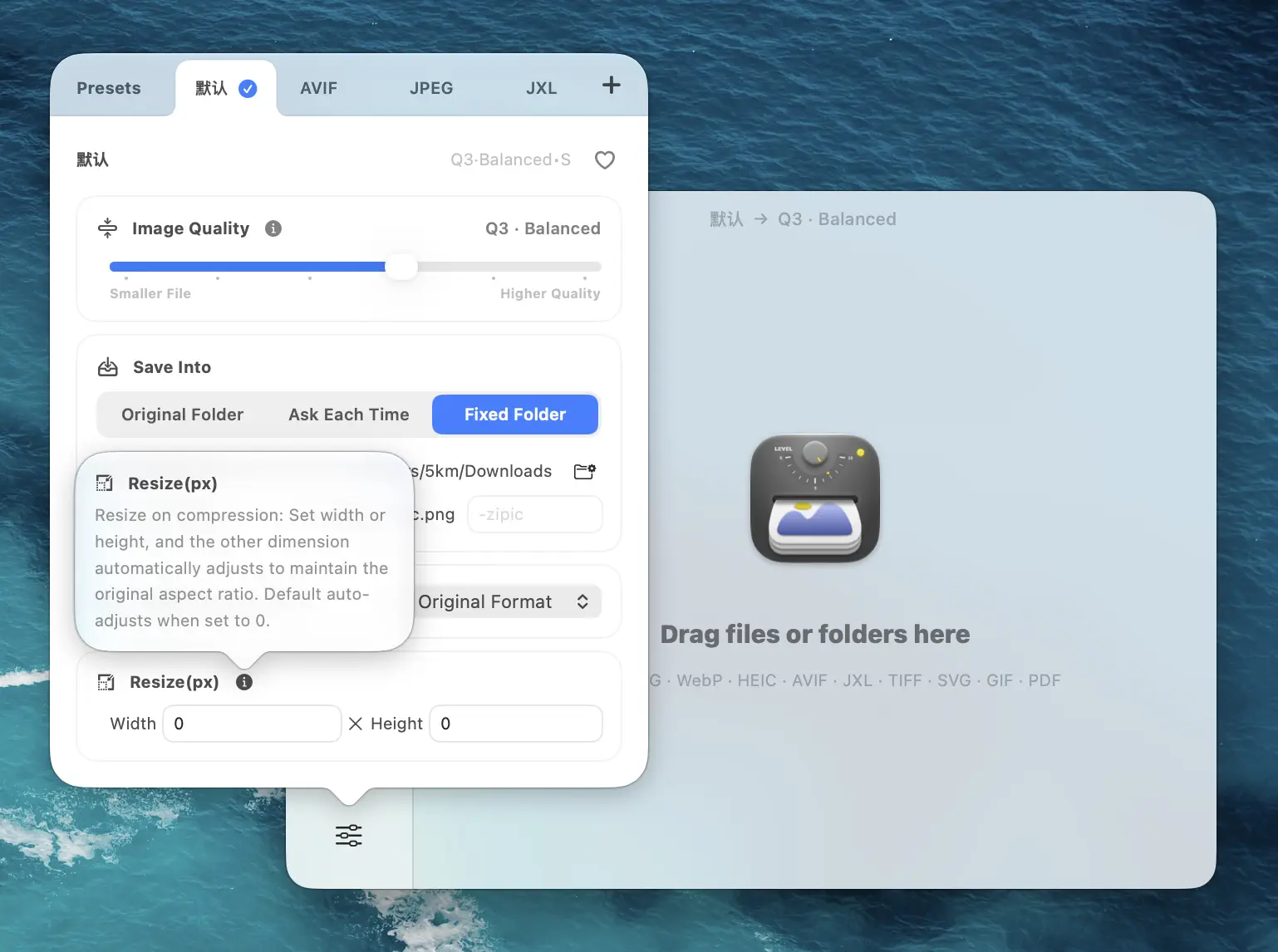
In the same preset, set Resize to the platform’s recommended long edge — leave the short edge as Auto so aspect ratio is preserved. For Instagram 4:5 feed, that’s a width of 1080 with auto height. For TikTok Photo Mode, it’s a height of 1920 with auto width. For Pinterest, set the height to 1500 with auto width.
For full details on resize behavior, see the Zipic Resizing Images documentation.
Step 3 — Choose the right output format
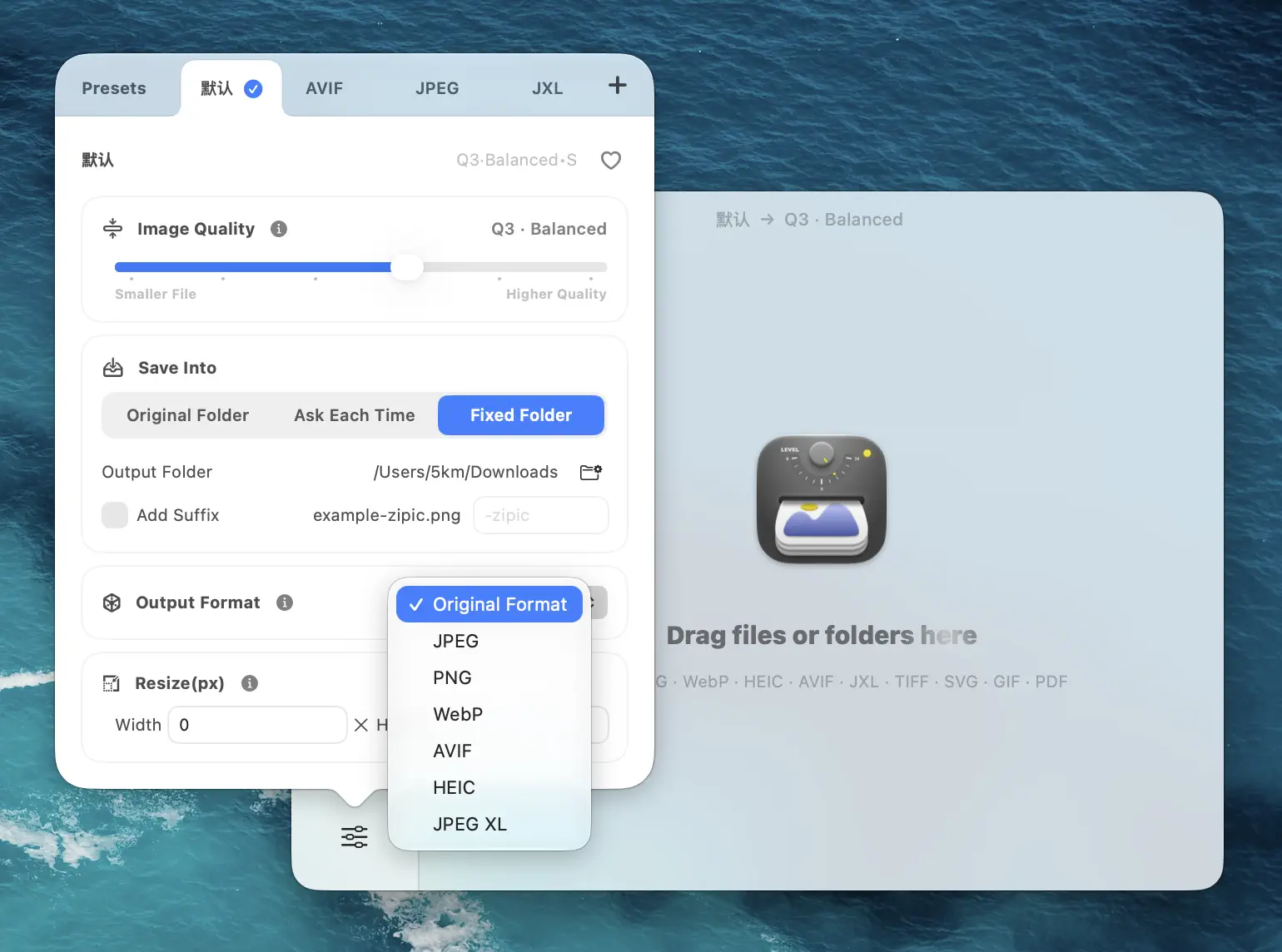
For all the platforms in this guide, JPEG is the right default. WebP is fine for X and Reddit; JPEG is universally accepted and re-encodes more predictably on the platform side. Avoid HEIC for social uploads — most platforms convert it server-side anyway, and you lose control of the conversion.
Step 4 — Organize output by platform
In Save Location, pick a different folder per preset — e.g. ~/Desktop/Social/01-Instagram-Feed, ~/Desktop/Social/02-Story-Reel, ~/Desktop/Social/03-WeChat-Moments. When you batch-process a shoot, every variant lands in the right folder and uploads in seconds.
A complete preset set for a daily content workflow ends up looking like this:
- IG-Feed-4:5 — Q2, 1080 wide, JPEG,
~/Social/IG-Feed - IG-Story-Reel — Q2, 1080×1920, JPEG,
~/Social/IG-Story - X-Post — Q2, 1200 wide, JPEG,
~/Social/X-Post - LinkedIn-Post — Q2, 1200 wide, JPEG,
~/Social/LinkedIn - Pinterest-Pin — Q2, 1000×1500, JPEG,
~/Social/Pinterest - TikTok-Photo — Q4, 1080×1920, JPEG,
~/Social/TikTok - WeChat-Moments — Q2, 1080 short edge, JPEG,
~/Social/WeChat - Weibo-Standard — Q2, 1440 wide, JPEG,
~/Social/Weibo - Xiaohongshu-3:4 — Q2, 1080×1440, JPEG,
~/Social/Xiaohongshu
Drag a folder of source photos onto Zipic, switch presets between drops, and the right-sized files appear in the right folders.
Working Around Server-Side Recompression
The trickiest part of social compression is anticipating the platform’s own pass. Three field-tested tricks:
Upload at the platform’s native pixel width to skip its resize step. When Instagram receives a 2400 px-wide image, it server-resizes to 1080 before its quality pass — adding a downsampling step on top of the quality drop. Uploading exactly 1080 wide skips the resize entirely.
Slight oversharpening on smaller exports. WeChat Moments and Weibo both apply heavy chroma subsampling on top of their JPEG re-encode, which softens fine detail. A modest unsharp mask (radius 0.5, amount 30) before export gives you a sharper-looking result after the recompression. Don’t overdo it on faces.
Skip pre-WebP for IG and FB. Both accept WebP uploads but don’t preferentially serve them — the file is converted to JPEG in CDN delivery anyway. Uploading WebP buys you nothing and adds an extra re-encode step. Stick with a high-quality JPEG (Zipic Q2, ≈Q84) in, JPEG out.
For the broader principles behind delivering images cleanly through layered systems, Optimize Images for Web covers the full pipeline.
FAQ
Should I export WebP or JPEG for Instagram in 2026? JPEG, at Zipic Image Quality 2 (≈Q84). Instagram and Facebook accept WebP uploads but don’t preferentially serve them, so the platform converts to JPEG anyway and you’ve added an extra re-encode pass for no benefit. JPEG in, JPEG out.
Why does my photo look blurry after I post it to WeChat Moments? You triggered the 2 MB hard recompression. WeChat aggressively re-encodes anything over 2 MB on Moments, which is why iPhone photos straight from camera roll consistently come out soft. Pre-resize to 1080 short edge and pre-compress to under 2 MB and the second pass barely touches your image.
Can I use one master image for every platform? No — and don’t try. A 4:5 master crops cleanly to 1:1 but loses 9:16 safe zones; a 16:9 master leaves dead space on Instagram feed; a 9:16 master can’t carry text in landscape preview cards. Build a per-aspect-ratio export pipeline instead, ideally driven by Zipic presets so the per-platform versions appear automatically.
Does Xiaohongshu really enforce one ratio per note? Yes. The first image you upload sets the aspect ratio for the entire note, and any subsequent image at a different ratio is padded with white background instead of being cropped. Decide on the ratio first, export every image at that ratio, then upload. For more on cross-platform tooling, Image Tools for Content Creators goes deeper into multi-channel workflows.
What’s the absolute safest single format if I’m in a hurry? JPEG at Zipic Image Quality 2 (≈Q84), sRGB, long edge equal to the platform’s exact recommended width, EXIF stripped. That setting will publish cleanly to every platform in this guide. Use it as your fallback preset whenever you don’t have time to pick the optimal config.
Sources & References
All limits verified April 2026; platform specs change frequently — re-check for high-stakes campaigns.
- Instagram Help Center — Photo and video size requirements
- Help with X — Photo, GIF and video specs
- Meta Business Help Center — Image specs for Facebook posts
- LinkedIn Help — Image specifications for Pages
- Pinterest Business — Pin specs
- TikTok Creator Center — Photo Mode specs
- Weixin Official Accounts — 运营规范
- Weibo 帮助中心 — 图片上传规范
- Xiaohongshu 创作中心 — 图片尺寸推荐
- Zipic Documentation — Resizing Images
Related Articles
- How to Resize Images on Mac
- Compress Images to Specific File Size (50KB, 100KB, 200KB)
- Optimize Images for Web Performance
- Image Tools for Content Creators and Bloggers
- Compress AI Images: GPT Image 2, Nano Banana Pro, Midjourney
- Image Compression for Email: Smaller Attachments on Mac
Try Zipic
Stop hand-resizing photos for every platform. Download Zipic and build a preset for every social channel you publish to. One drag, every platform — done. Every download includes a full 7-day Pro trial. See pricing for Pro features like folder monitoring and unlimited presets.
Related Reading
How to Compress Images on Mac Fast (Without Ruining Quality)
Compress images on Mac with drag-and-drop, Finder, presets, and batch automation — protect originals, check quality at 100%, then scale the workflow.
Why Zipic Kept libwebp for WebP but Built Its Own AVIF Encoder
Zipic keeps Google's libwebp for WebP but built avifoptim after libavif failed to preserve iPhone HDR photos. The engineering trade-off explained.
Best gifski Alternative on Mac: When One Video at a Time Isn't Enough
gifski is a great video-to-GIF encoder, but it cannot batch, monitor folders, or compress existing GIFs. Here is the Mac gifski alternative for those jobs.
How to Compress and Optimize SVG Files on Mac with Zipic
Need an SVG optimizer on Mac? Compress and optimize SVG files with Zipic — strip editor bloat, pick from six quality steps (Q1–Q6), and batch entire icon sets.