What Is an AVIF File? Benefits, Drawbacks & Browser Support
What is an AVIF file? Learn its compression benefits, drawbacks, browser support, differences from WebP and JPEG, and how to create AVIF images on Mac.
Updated:
An AVIF file is a modern image format that stores AV1-compressed pictures in a HEIF container. It is open and royalty-free, supports transparency, HDR, wide color, and animation, and can produce much smaller files than JPEG at similar visual quality. Its main drawbacks are slower encoding and weaker support in older image-editing tools.
This guide explains what AVIF is, its benefits and drawbacks, current browser support, and how it compares with WebP and JPEG. The deeper sections cover the format’s HEIF container, AV1 intra coding, profiles, and HDR design; for a practical comparison, see AVIF vs WebP vs JPEG, or jump to Best AVIF Compression Tool for Mac for the conversion workflow.
| Quick answer | AVIF |
|---|---|
| Best for | High-quality web photos, HDR images, transparency, and maximum file-size savings |
| Key benefits | Excellent compression, HDR and wide color, transparency, and animation |
| Main drawback | Slower encoding and patchier support in older desktop software |
| Compared with WebP/JPEG | Often smaller than both at similar quality, but more demanding to encode |
| On Mac | Zipic can batch-compress or convert images to AVIF locally |
What Is AVIF? A Quick Definition
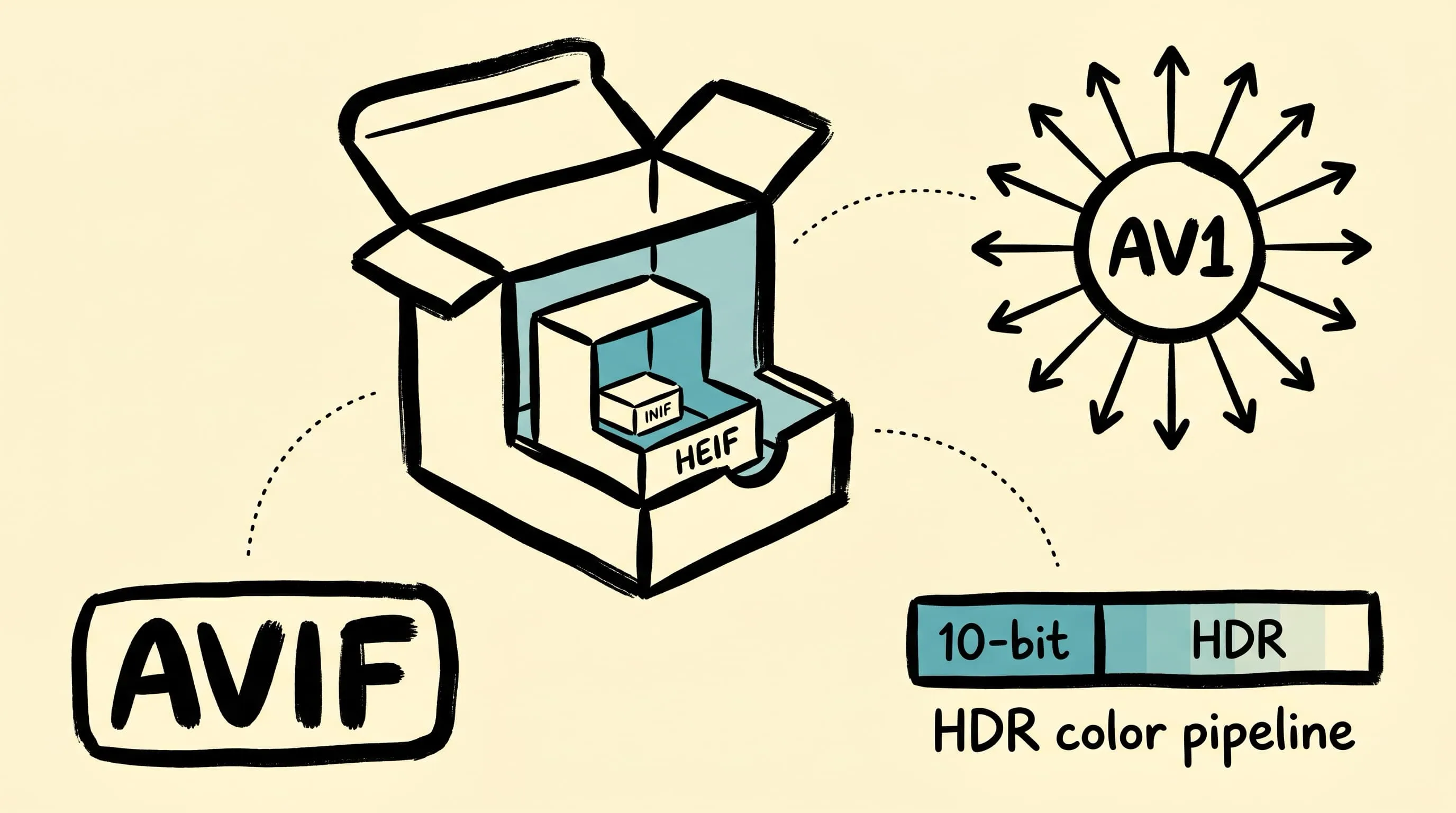
AVIF (AV1 Image File Format) is an open, royalty-free image format maintained by the Alliance for Open Media. It packages still images compressed with the AV1 video codec inside a HEIF/ISOBMFF container. The current published specification is v1.2.0, released on November 3, 2025.
The official extension is .avif (.avifs for animation sequences) and the MIME type is image/avif. The short version: AVIF is what you get when you take a state-of-the-art video keyframe and ship it as a still image. Everything interesting follows from that single design decision.
The History of AVIF: From AV1 Codec to Web Standard
- 2015 — The Alliance for Open Media is founded by Amazon, Cisco, Google, Intel, Microsoft, Mozilla, and Netflix to deliver a royalty-free alternative to HEVC. AV1, the video codec, becomes the project’s flagship deliverable.
- 2018-03 — The AV1 video bitstream is finalized. Strong compression plus explicit royalty-free licensing — the patent-fee gap that kept HEIC off the open web is gone.
- 2019-02-19 — AVIF v1.0.0 is published. It reuses AV1 keyframe coding and packages the result inside the HEIF container originally defined for HEIC. Existing HEIF tooling can parse AVIF on day one at the container layer.
- 2020-08 — Chrome 85 ships native AVIF decoding, Netflix publishes its AVIF for Next-Generation Image Coding study.
- 2021-10 — Firefox 93 enables AVIF by default.
- 2022-09-12 — Safari 16 ships with iOS 16 and adds non-animated AVIF decoding. Safari 16.1 follows in October with macOS Ventura, completing the rollout and adding animated AVIF.
- 2023-03-27 — Safari 16.4 backports AVIF decoding to macOS Monterey and Big Sur.
- 2025-11-03 — AVIF v1.2.0 is published, adding sample transforms (for >12-bit depth via codec layering), gain map signaling for SDR-compatible HDR, and conformance updates aligned with the latest HEIF/ISOBMFF/MIAF specifications.
The Alliance’s membership is the practical reason cross-browser support arrived in five years rather than fifteen — the same companies that ship Chrome, Firefox, Edge, and YouTube agreed to AVIF before the spec was published.
Inside the Container: HEIF and ISOBMFF Boxes
AVIF’s wrapper is not new. It is HEIF (ISO/IEC 23008-12), itself a profile of the ISO Base Media File Format (ISOBMFF, ISO/IEC 14496-12) — the same family of “boxes” that backs MP4 and QuickTime. An AVIF file is a sequence of nested boxes, each prefixed with a 4-character code (4CC) and a length:
| Box | Purpose |
|---|---|
ftyp |
File Type Box — declares the brand (e.g. avif for still, avis for sequence) and compatible brands |
meta |
Container for all the image metadata that follows |
hdlr |
Handler reference — for AVIF this is pict |
pitm |
Primary Item — which item is the displayed image |
iinf |
Item Info — declarations of every coded image item |
iloc |
Item Location — byte offsets and lengths into mdat |
iprp |
Item Properties — image size, color profile, rotation, alpha link |
iref |
Item References — e.g. auxl linking the alpha plane to the color plane, or dimg linking grid tiles to a derived image |
mdat |
Media Data — the actual AV1 bitstream payload |
The point is that AVIF and HEIC are the same wrapper with a different codec inside. An iPhone HEIC file is HEVC-coded data inside HEIF; an AVIF file is AV1-coded data inside HEIF. That is also why AVIF supports image grids and tiled super-images (via dimg references) and per-image properties like ICC profiles and rotation in exactly the same way HEIC does.
For the AV1 bitstream itself, AVIF stores AV1 OBUs (Open Bitstream Units) inside mdat. A decoder treats each coded image item as a single AV1 keyframe and ignores the inter-frame machinery entirely.
How AVIF Compression Works: AV1 Intra Coding
Inside the container is a single AV1 keyframe. AV1 is a block-based hybrid codec, and keyframe (intra) coding is what AVIF uses for every still image. Three pieces of machinery dominate the bit budget:
56 directional intra prediction modes
JPEG has effectively zero intra prediction. HEVC (and HEIC) has 33 directional modes. AV1 has 56 directional modes, generated from 8 nominal angles (45°, 67°, 90°, 113°, 135°, 157°, 180°, 203°) each refined by an angle delta in the range [-3, +3] in steps of 3°. The encoder predicts each block from neighboring pixels along the chosen angle, then encodes only the residual. More angles mean a closer-fitting prediction for diagonal edges, fine textures, and gradients — which means smaller residuals and fewer bits.
On top of the 56 directional modes, AV1 adds:
- DC, Smooth, Smooth-V, Smooth-H, Paeth — non-directional predictors for flat regions and gradients.
- Recursive intra filters — a filter-based mode for fine-grained natural texture.
- Chroma-from-luma (CfL) — predicts chroma planes as a linear function of the luma plane, exploiting the strong correlation between them on most photographic content.
- Intra block copy — for screen-content like text, lets a block be predicted from another block in the same image.
Variable-size partitioning (4×4 to 128×128)
JPEG locks every block to 8×8. AV1 picks block sizes from 4×4 up to 128×128 dynamically, with up to 10 partition shapes per superblock — a square 4-way split, horizontal and vertical 2-way splits, four T-shaped patterns, and 4:1 / 1:4 elongated stripes. Smooth sky? One huge block. Fine architectural detail? A grid of small ones. The encoder spends bits where they matter and starves the regions that do not.
CDEF and Loop Restoration filters
After reconstruction, AV1 runs two in-loop filters that JPEG and WebP simply do not have:
- CDEF (Constrained Directional Enhancement Filter) — identifies the dominant direction of each 8×8 block, then applies a non-linear low-pass filter with primary taps along that direction and secondary taps oriented 45° off it. This removes ringing and basis-pattern noise around sharp edges without blurring the edges themselves. The filter is worth up to 4.5% bit-rate reduction by itself.
- Loop Restoration Filter — applied after CDEF, combining a Wiener filter and a self-guided restoration filter with projection (SGRPROJ) to recover detail lost during quantization.
This is why AVIF often shows fewer ringing and blocking artifacts than JPEG even at very low bitrates. The encoder is not just compressing; it is post-processing its own output before the file is closed.
Why encoding is so slow
The price for all of this: the encoder has to choose, for every block, among 56 directions × multiple partition shapes × multiple transforms × multiple filter parameters. Even with heavy heuristics, a high-effort AVIF encode of a multi-megapixel photo can take seconds to minutes per image on a single CPU core — the same image as JPEG encodes in milliseconds. Decode is fast (modern devices handle it without complaint), but encode is fundamentally a search problem.
Color Depth, HDR, and Wide Gamut
AVIF inherits one more thing from AV1: a real HDR-capable color pipeline. WebP is locked to 8-bit YUV 4:2:0; AVIF supports 8, 10, and 12 bits per component, plus 4:2:0, 4:2:2, 4:4:4, and monochrome chroma sampling.
The HDR signaling lives in the colr (Colour Information) property inside iprp, identifying:
- Color primaries — which set of RGB primaries the pixel values represent. For HDR content this is almost always BT.2020.
- Transfer function — how the stored code values map to displayed light. The two HDR options are:
- PQ (Perceptual Quantizer, SMPTE ST 2084) — an absolute, display-referred curve covering 0 to 10,000 cd/m². Used by HDR10, HDR10+, and Dolby Vision. Requires tone mapping when the display peak is lower than the content peak, and is not backward-compatible with SDR gamma.
- HLG (Hybrid Log-Gamma) — a relative, scene-referred curve jointly developed by BBC and NHK. The lower half is a gamma curve (so SDR displays show a usable image); the upper half is logarithmic (so HDR displays extend into the highlights). Backward-compatible with SDR.
- Matrix coefficients — the YUV-from-RGB conversion (BT.601, BT.709, BT.2020 NCL/CL).
What this means in practice: a Display P3 photograph from a recent iPhone can stay in a 10-bit BT.2020 PQ pipeline all the way to AVIF. A WebP cannot carry that information. A JPEG cannot carry that information. AVIF and JPEG XL can; HEIC also can. This is the single largest functional difference between AVIF and WebP.
Profiles and Pixel Limits: Baseline vs Advanced
Not every AVIF file is decodable by every AVIF decoder. The spec defines two profiles with hard pixel ceilings on each coded image item (AVIF v1.2.0 §A.4):
| Profile | Max pixels | Max width | Max height | Bit depth |
|---|---|---|---|---|
| Baseline | 8,912,896 | 8,192 | 4,352 | 8 / 10 |
| Advanced | 35,651,584 | 16,384 | 8,704 | 8 / 10 / 12 |
A Baseline-only decoder is allowed to refuse to decode a 10K×10K Advanced image. Any decoder advertising AVIF support must do at least Baseline.
Both profiles can exceed their nominal width/height by encoding the image as a grid derived image item — a dimg reference from the displayed item to N×M sub-tiles, each within the profile’s per-tile limit. This is how iPhone-style 48 MP captures land in AVIF without breaking conforming decoders: the file is internally a grid of smaller tiles, but presents as one large image at the API boundary.
Animation in AVIF: Image Sequences, Not Video
Animated AVIF reuses the ISOBMFF movie box (moov) machinery, with the avis brand declared in ftyp. Each frame is still an AV1 keyframe — there are no inter-frame references in the still-image profile of AVIF — so animated AVIF is best understood as a sequence of independently-coded images timed by the container, not a real video.
This has two consequences:
- Better quality at a given size than animated GIF or animated WebP, because every frame benefits from AV1 intra coding.
- Worse compression than a real video file for long sequences, because there is no motion compensation. For loops longer than a few seconds, an actual AV1 video in MP4 or WebM will be smaller than animated AVIF.
Browser support for animated AVIF lags slightly behind static AVIF; test before relying on it for hero animations.
What AVIF Does Not Do (and Why)
Some limitations are not bugs — they are downstream of the AV1 design.
- No progressive rendering. JPEG can show a coarse preview while the file finishes downloading. AVIF cannot, because AV1’s intra coding is not designed around quality layers — there is no equivalent of a JPEG scan order. Tiles can decode independently, but that is spatial, not quality-progressive.
- Heavier decoder cost. All those prediction modes, transforms, and in-loop filters have to run at decode too. Modern devices handle it without complaint; very large galleries on low-end hardware can stutter.
- Editor support is uneven. Photoshop added basic AVIF reading in version 25.0 (October 2023) and full open/edit/save support in the June 2025 release (26.8). Affinity Photo 2 supports import/export. Older editors still need a plugin or external converter.
- Per-tile profile ceilings. A 50 MP single-tile encode is not allowed in either profile — you must grid-tile it. This is invisible to most users but matters for archival workflows that expect “one image, one coded payload.”
How to Create AVIF Files on Mac
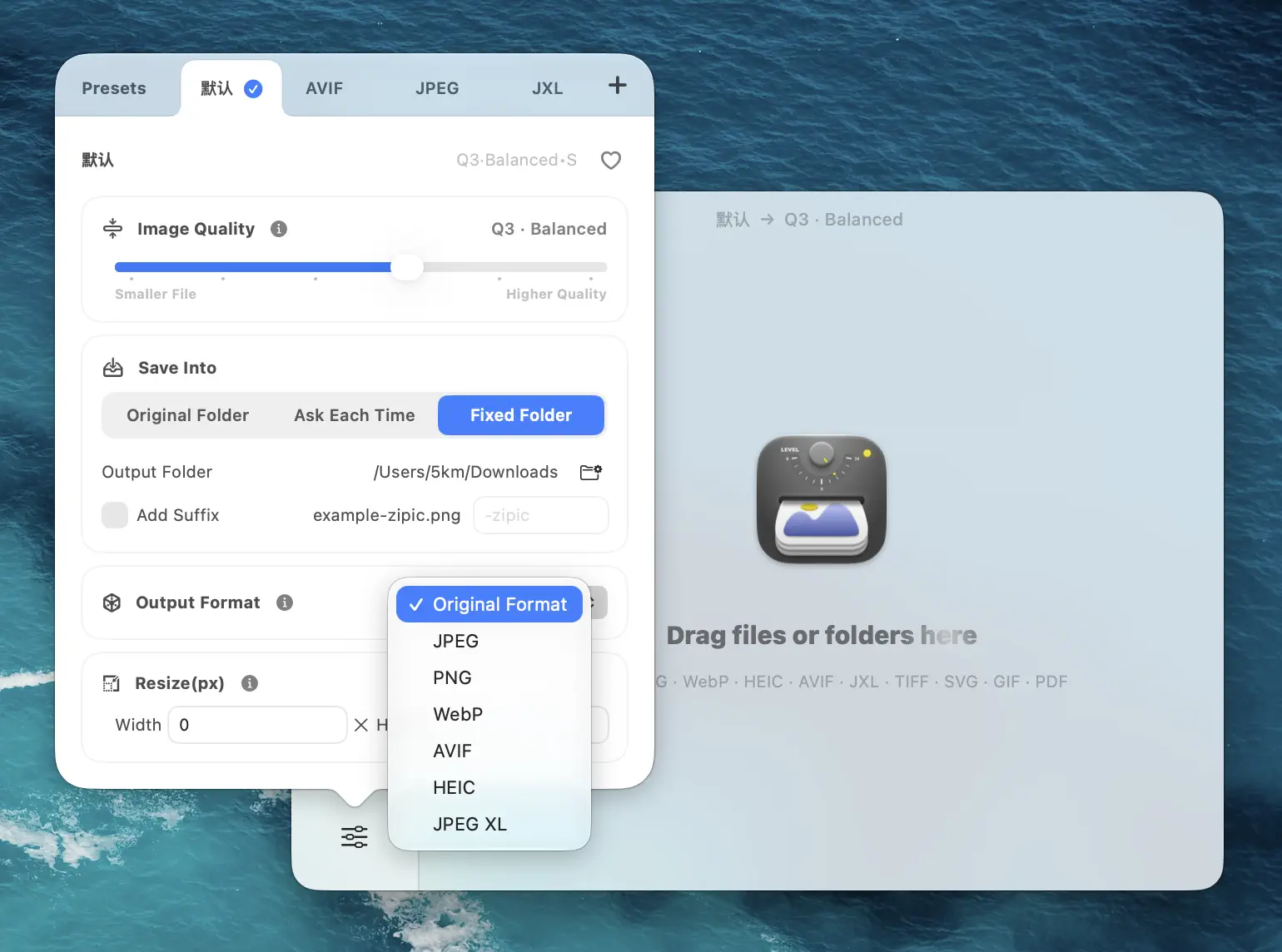
The simplest path on Mac is Zipic: set Save Format to AVIF, drop in any supported source, and Zipic runs libavif in the background. For build pipelines, install libavif via Homebrew (brew install libavif) and script avifenc directly. The full Mac workflow comparison lives in Best AVIF Compression Tool for Mac.
FAQ
Why is AVIF encoding so slow compared to WebP? Because the encoder has to search across 56 directional intra modes, multiple partition shapes from 4×4 to 128×128, multiple transforms, and CDEF/loop-restoration filter parameters per block. WebP’s VP8-derived encoder has a much smaller decision space. Pre-encode at build time and cache aggressively.
What is the relationship between AVIF and HEIC?
They share the same container (HEIF/ISOBMFF) and the same property model (ICC profiles, rotation, image grids, alpha auxiliary references). The difference is the codec inside mdat: HEIC carries HEVC-coded payloads, AVIF carries AV1-coded payloads. HEVC has patent royalties; AV1 is royalty-free, which is why AVIF made it onto the open web and HEIC mostly did not.
How do I store HDR content in AVIF?
Encode the source at 10-bit or 12-bit, set color primaries to BT.2020, and choose either PQ (for HDR10-style absolute-luminance content) or HLG (for broadcast-style scene-referred content) as the transfer function. The signaling lives in the colr property in iprp. A correctly-tagged AVIF will be tone-mapped or passed through by HDR-capable browsers and OS image viewers.
What is a “grid AVIF” and when do I need one?
A grid AVIF stores a single logical image as N×M sub-tiles tied together by a dimg reference. It is required whenever your image exceeds the per-tile pixel ceiling of your target profile (8.9 MP for Baseline, 35.6 MP for Advanced). Most encoders, including libavif, produce grid AVIFs automatically when needed.
Can AVIF carry a transparent alpha channel?
Yes, through an auxiliary image item linked with an auxl reference. The alpha plane is itself an AV1-coded payload, separate from the color plane, and is referenced by the primary item’s properties. This is how AVIF supports full 8-bit (or higher) alpha rather than the 1-bit transparency of GIF.
AVIF is the AV1 codec’s intra coding wrapped in HEIF, with profile-defined pixel ceilings, real 10/12-bit HDR signaling, and an in-loop filter stack that removes the artifacts JPEG cannot. The encoder is a search problem and that is the cost; the file-size and color-fidelity wins are the payoff. Download Zipic to convert any image to AVIF on Mac in batch, or upgrade to Zipic Pro to unlock all 12 formats and unlimited daily conversions. Every download includes a full 7-day Pro trial.
Related Articles
- AVIF vs WebP vs JPEG: The Ultimate Format Comparison
- Best AVIF Compression Tool for Mac
- What Is WebP? Everything You Need to Know About Google’s Image Format
- JPEG vs PNG vs WebP: Which Image Format Should You Use?
- How to Choose the Right Image Format for Your Project
- Why Zipic Kept libwebp for WebP but Built Its Own AVIF Encoder
Related Reading
What Is a WebP File? Benefits, Drawbacks & Browser Support
What is a WebP file? Learn its benefits, drawbacks, browser support, differences from JPEG, PNG, and AVIF, and how to create WebP images on Mac.
AVIF vs WebP vs JPEG: The Ultimate Format Comparison
AVIF vs WebP in 2026: browser support, compression ratios, encoding cost, transparency, and fallback strategy — with cited benchmarks and decision matrix.
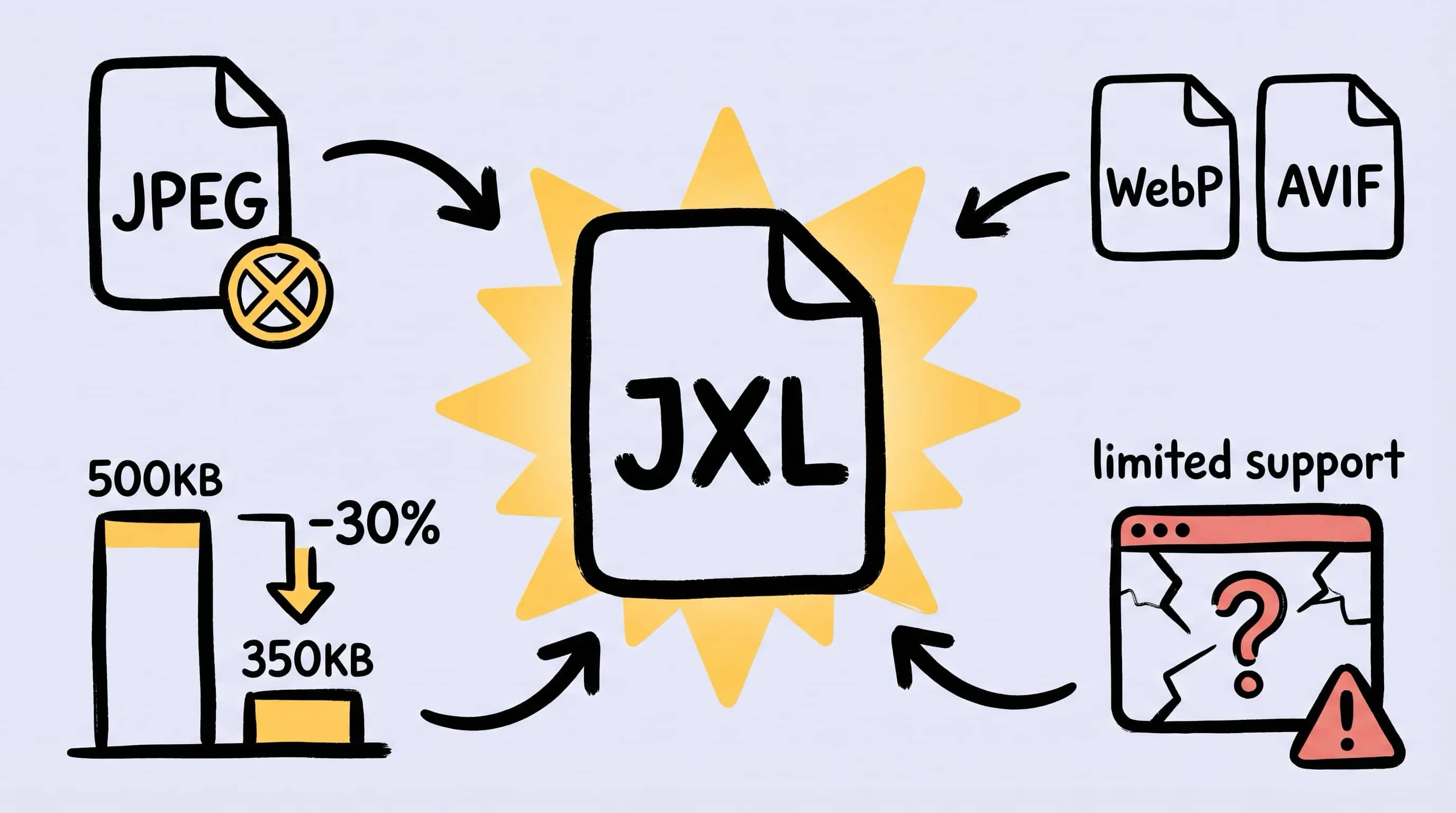
JPEG XL Converter for Mac: Batch Convert Images to JXL
Looking for a JPEG XL converter on Mac? Learn how to batch convert images to JXL with Zipic, when JPEG XL actually makes sense, and when to fall back to AVIF or WebP.
How to Choose the Right Image Format for Your Project
Not sure whether to use JPEG, PNG, WebP, or AVIF? This practical guide helps you pick the best image format based on your project type, platform, and priorities.